Presets and colours
Settings → Appearance. A preset fills in a complete look: Neutral Light, Neutral Dark, Classic Gold, Night Blue or Minimal Mono. Adjust any colour before saving.
- Light colours: accent, surface and text.
- Dark colours: a separate accent, surface and text, used by forms set to dark (or to automatic when the visitor's device is in dark mode).
- Corner radius from 0 to 16 px, and density (compact or comfortable).
- Font: inherit your theme's font (default) or use the system font.
Button text switches between dark and white by itself, so it stays readable on any accent colour. Your theme's input styles are kept out of the form fields.

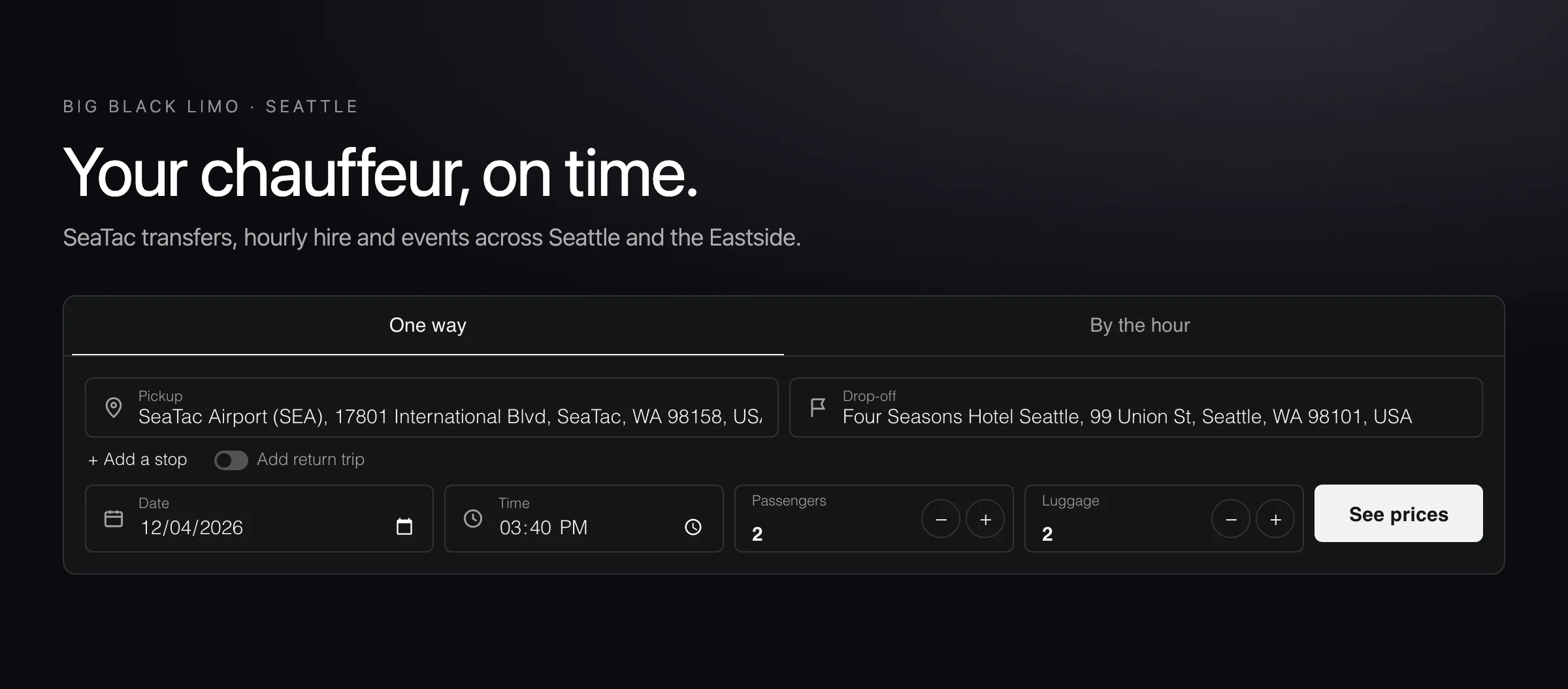
Blocks, widgets and shortcodes
| What | Block | Elementor widget | Shortcode |
|---|---|---|---|
| Quick form (home page, landing pages) | Chauffeur Plugin — Quick form | Quick booking form | [chauffeur_quick_form] |
| Full booking form | Chauffeur Plugin — Booking form | Booking form | [chauffeur_booking] |
| Client account | Chauffeur Plugin — Client account | Client account | [chauffeur_account] |
| Driver app | Chauffeur Plugin — Driver app | Driver app | [chauffeur_driver] |
Settings → Shortcodes lists them all with copy buttons and the pages that hold them. It also sets which page is the booking page (the quick form sends visitors there), the account page, the driver page, and your terms and privacy pages.
Shortcode options
| Option | Works on | Values |
|---|---|---|
| theme | quick form, booking form | light, dark, auto (quick form) |
| layout | quick form | horizontal (default) or stacked |
| services | quick form, booking form | p2p, hourly, tours, comma-separated |
| default | quick form | the tab that opens first |
| redirect | quick form | a page path, e.g. /book |
| start | booking form | service (default) or vehicle |
| lang | quick form, booking form, account, manage booking | en, es, de, nl, pt, it, fr |
For example [chauffeur_quick_form theme="dark" layout="stacked" services="p2p,hourly"] shows a dark, narrow form with two tabs.
Custom CSS
Settings → Appearance → Custom CSS applies to the booking form, quick form, client account and chat. Next to it is the list of what you can style: variables such as --cpf-accent and --cpf-radius, and parts such as .cpf-f, .cpf-btn and .cpf-veh. Start every rule with .cpf so nothing else on your site changes.
Frequently asked questions
Can the booking form match my brand colours?
Yes. Pick a preset under Settings → Appearance and change the accent, surface and text colours for light and dark forms. The form also takes your theme's font.
Can I put the booking form in a sidebar or popup?
Yes. Use the quick form with layout="stacked" for narrow spaces. It works in any block, widget area, Elementor section or popup builder that runs shortcodes.
Can I show only airport transfers on one landing page?
Yes. Use services="p2p" to show one-way trips only, and add Popular locations so the airport is one tap away.