Every price is built in the same order, and you can see every line in the booking drawer.
- Fare: the class rate, per mile or km (optionally with distance tiers), per hour (with a minimum), a fixed zone-to-zone price or a tour price.
- Minimum fare.
- Return trip: both legs, minus your return discount.
- Pricing rules: plus or minus a percentage or amount by date, weekday, time, lead time, distance or zone.
- Fees: night, weekend, airport pickup or drop-off, extra stops.
- Extras chosen by the client, such as a child seat.
- Promo code.
- Tax (added or included), tip, card fee and rounding.
Rates per vehicle class
Open Rates, choose a class and a service.
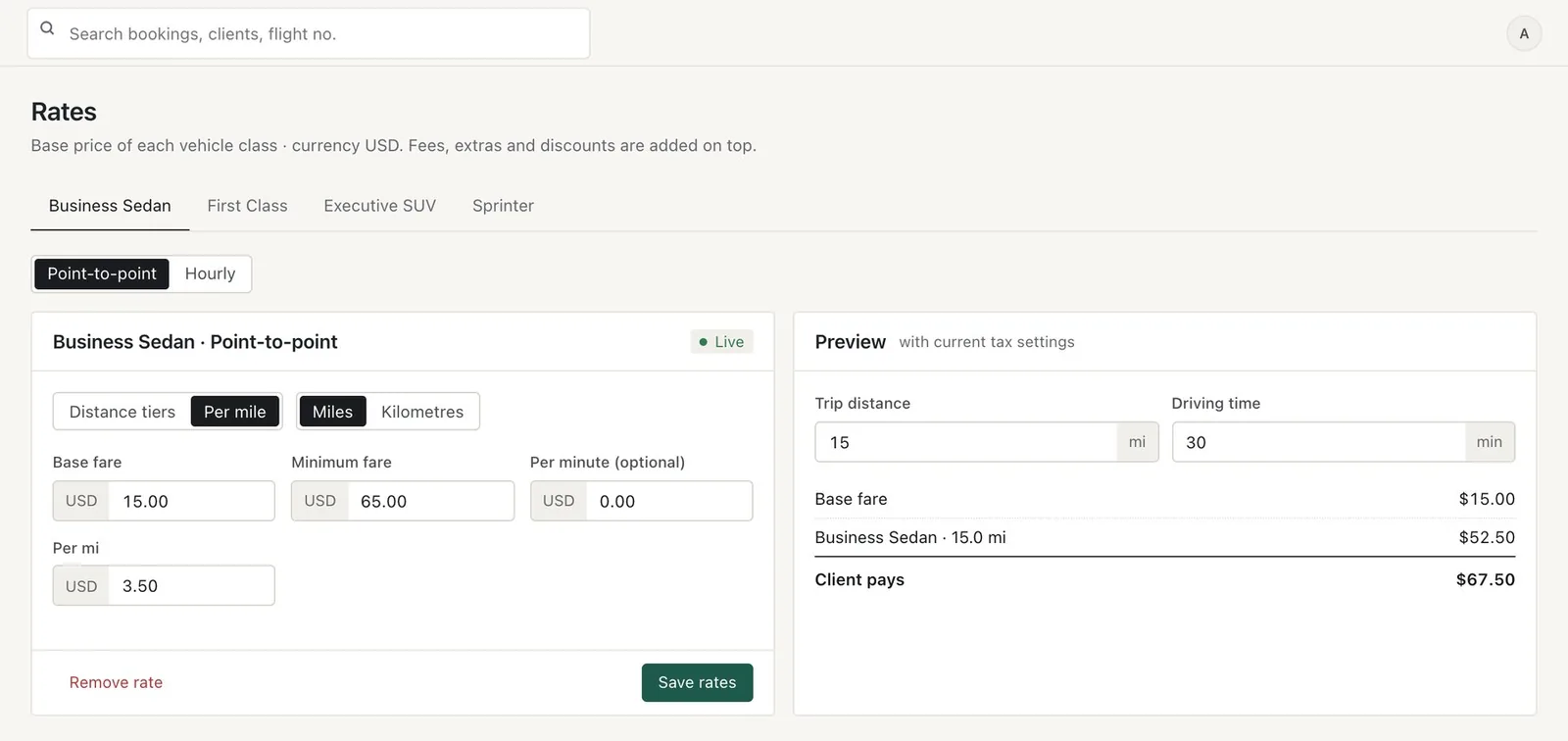
- Distance tiers or per mile/km: a base fare, a minimum fare and a price per distance unit. Tiers let longer trips cost less per mile.
- Hourly: a price per hour and a minimum number of hours.
A class without a rate shows Price on request and its bookings become quote requests.
What clients see
Under Settings → Pricing display and tax, choose whether each fee, rule, tax and the card fee is shown as its own line or included in the vehicle price, and whether your prices include tax. ## Tax
Under Settings → Pricing display and tax set the tax name (Sales tax by default), the rate, and whether it applies to the fare and taxable fees or to everything. If your prices already include tax, switch on Prices include tax under Settings → Regional.
Return trips, tips, rounding and airports
- Return trip discount: on by default at 10%, on both legs or the return only. The saving can be shown on the vehicle step.
- Tips: clients can add a tip before paying, with presets you choose (10%, 15% and 20% for example).
- Rounding: to the nearest 0.01, 0.50 or 1, or up to the next 5.
- Airport words: an address containing one of these words counts as an airport for airport fees. Add IATA codes such as SEA or JFK.
- Card fee: a percentage and a fixed amount under Settings → Payments, shown as its own line or folded into the price.
Frequently asked questions
Can I charge per mile and per hour?
Yes. Each vehicle class has its own distance rate (with optional tiers and a minimum fare) and hourly rate (with a minimum number of hours).
Can I hide the price breakdown from clients?
Yes. Under Settings → Pricing display and tax, fold fees, rules, tax and the card fee into the vehicle price, or turn off the breakdown. You always see every line in the booking drawer.
Can I set a flat price from the airport to downtown?
Yes, with zones and a fixed route. See Zones and fixed routes.