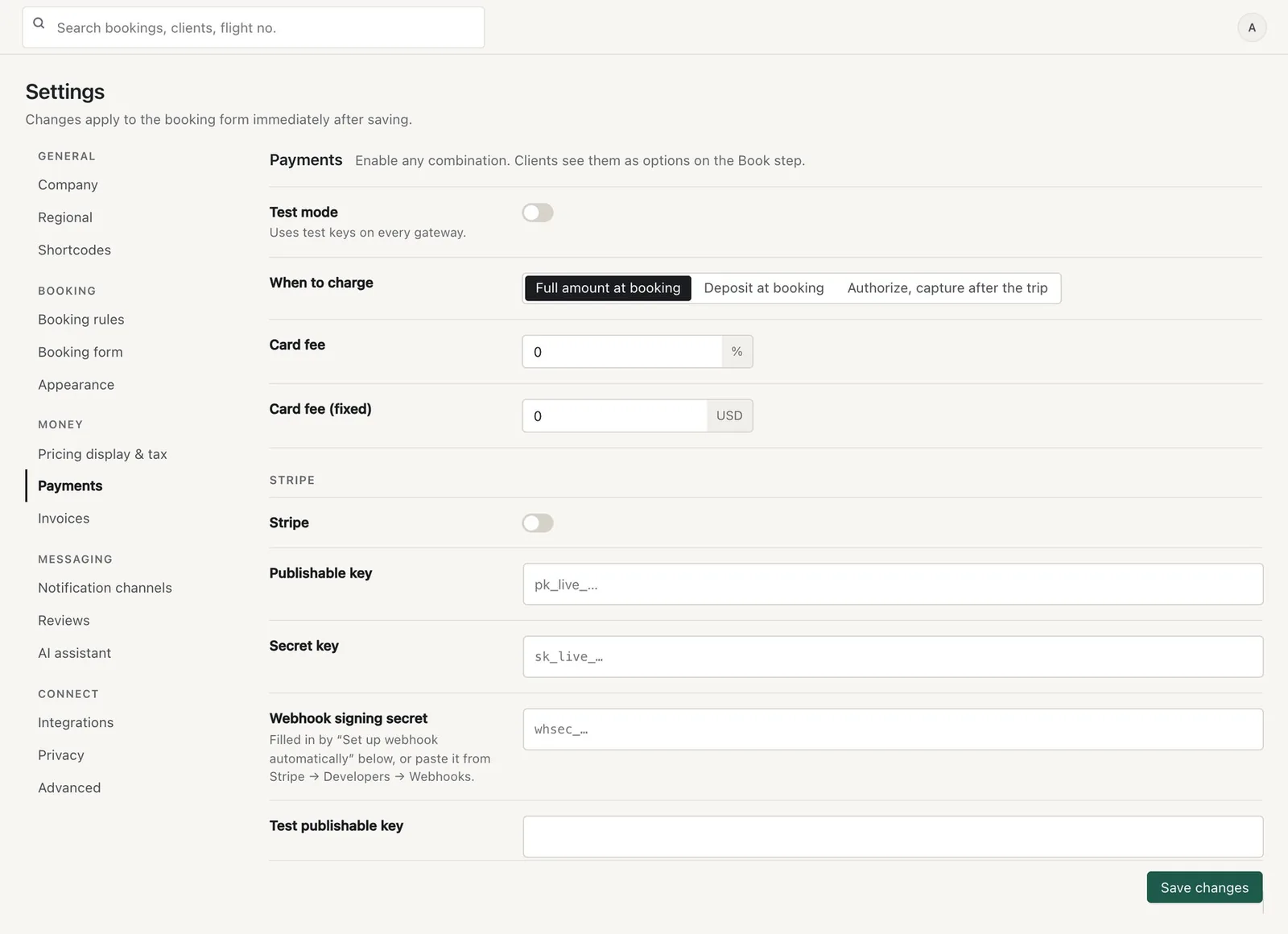
Enable any combination under Settings → Payments. Use Test mode with test keys before going live.
| Method | What you need |
|---|---|
| Stripe (cards, Apple Pay, Google Pay, local methods) | Publishable and secret key |
| Square | Application ID, Location ID and access token of your own Square app |
| PayPal | Client ID and secret |
| Mollie (iDEAL, Bancontact, cards) | API key |
| Cash on pickup, company account, quote | Nothing |
Webhooks in one click
Webhooks tell your site when a payment succeeds. For Stripe, Square and PayPal click Set up webhook automatically under the keys: do it once in test mode and once in live mode. Your site must be public and on https. Mollie sets its webhook on each payment.
When to charge
- In full when booking.
- A deposit now (30% by default) and the rest later.
- Authorize now, capture after the trip so you can add waiting time or extras first.
Refunds
Cancellations inside your free window are refunded automatically. For anything else open the booking drawer and use Refund, for the full amount or part of it. ## Card fees and saved cards
- Card fee: a percentage and a fixed amount added to card payments.
- Save the client's card for charges after the trip (Stripe): lets you charge waiting time, parking or tolls to the same card. Other methods get a payment link instead.
- Add the chauffeur's waiting time, parking and tolls without my approval: off by default, so the chauffeur's entries wait for you.
Cash and quotes
Cash on pickup is on by default; the chauffeur records cash collected in the driver app and it shows in chauffeur payouts. Get a quote lets clients ask for a price without paying.
Frequently asked questions
Which payment providers are supported?
Stripe (cards, Apple Pay, Google Pay and local methods), Square, PayPal and Mollie, plus cash on pickup, company accounts and quote requests. You use your own provider account.
Can I take a deposit?
Yes. Set When to charge to Deposit at booking and choose the percentage (30% by default).
Does the plugin take a fee on payments?
No. Payments go straight to your provider account. You pay only your provider's normal fees.
Related guides