Many trips still arrive by email, WhatsApp or phone. Paste a request turns that message into a booking without retyping: the AI fills in the details, you check them, choose the vehicle and payment, and create the booking.
It uses a fast Claude model with your own Anthropic API key (Settings → AI assistant). Reading a request costs a fraction of a cent.
Create a booking from a message
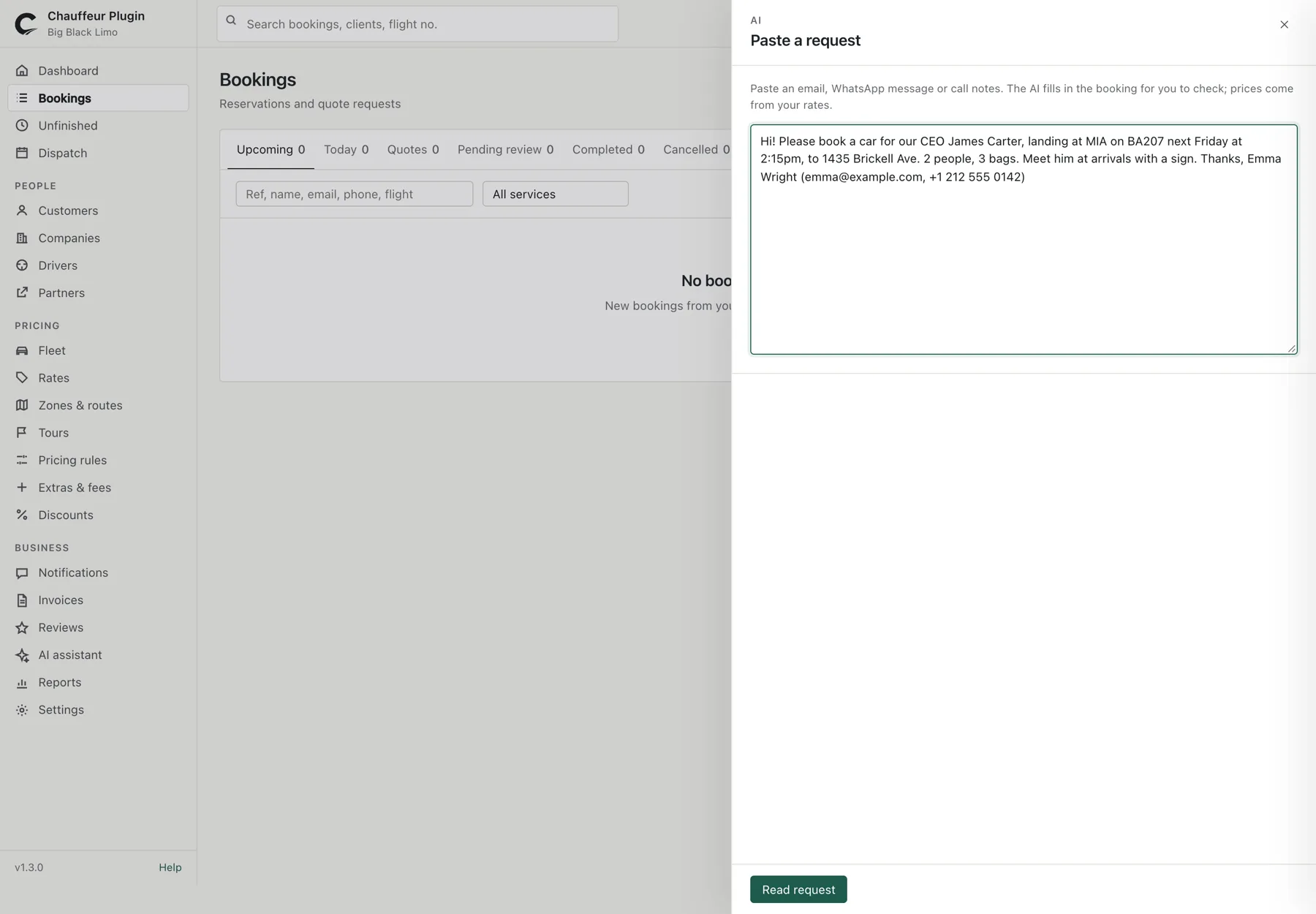
- Go to Bookings and click Paste a request.
- Paste the email, message or your notes from a call, and click Read request.
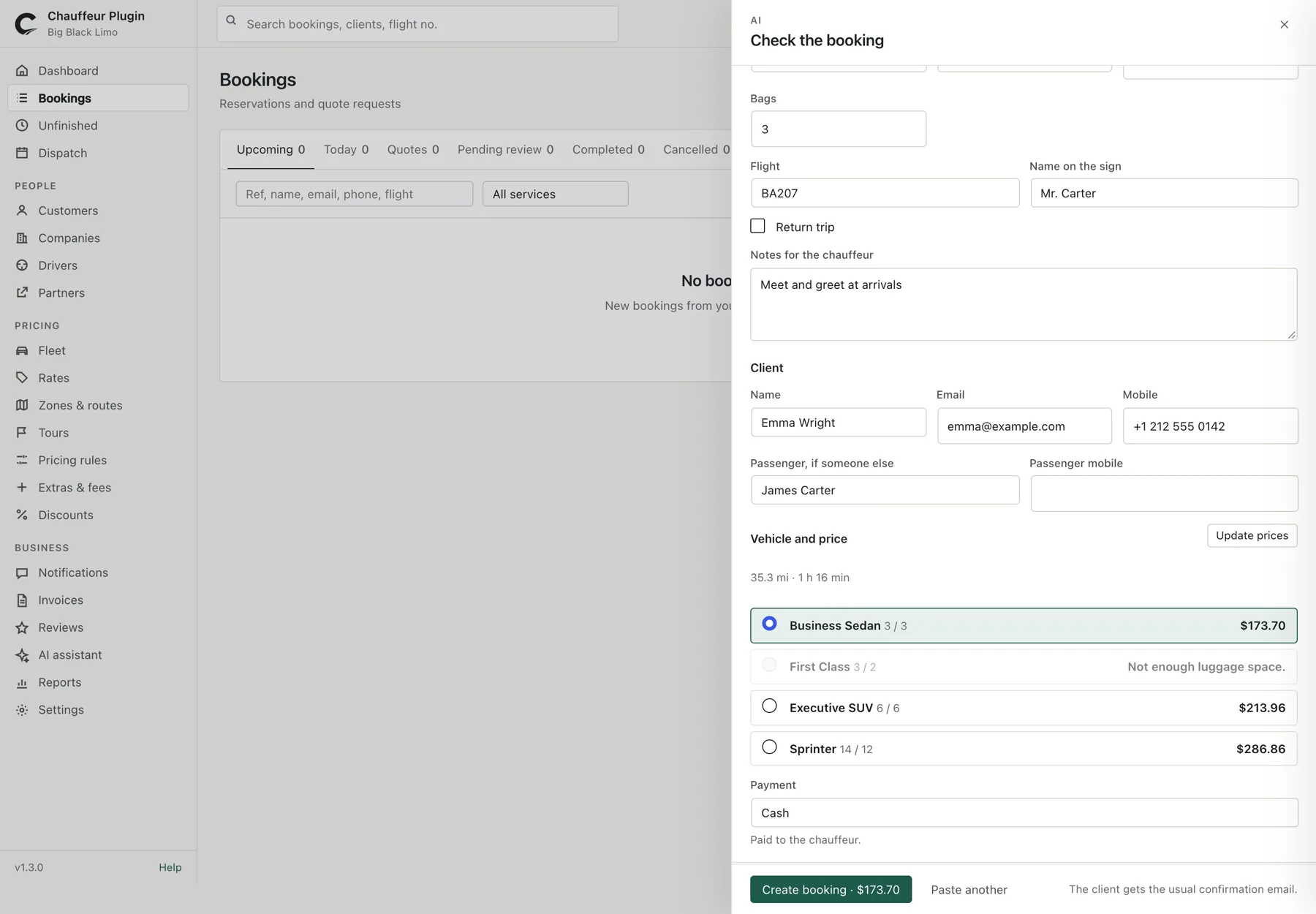
- Check the booking. Everything is editable:
- - Trip: transfer or by the hour, pickup and drop-off as full addresses, date and time, passengers, bags, flight, name on the sign, return trip and notes for the chauffeur.
- - Client: the person booking, with email and mobile.
- - Passenger: filled in when someone books for another person.
- Under Vehicle and price, pick the vehicle. Prices come from your rates; vehicles too small for the group are greyed out. Click Update prices after changing the trip.
- Choose the payment and click Create booking.
What the AI understands
- Dates like "tomorrow", "next Friday" or "the 12th", in your time zone.
- Flight numbers. For an arrival, the pickup is the airport and the time is the landing time unless the message gives a pickup time.
- Places that match your popular locations, using their exact addresses.
- Who books and who travels, the name for the sign, PO numbers and special requests.
- Still needed: what the message doesn't say (for example the passenger's mobile), so you know what to ask.
If a message asks for several trips, the first one is filled in; paste the others separately.
Payment choices
| Choice | When |
|---|---|
| Company account | The client's email belongs to a company on account; add the PO number if needed |
| Cash | Cash is switched on under Settings → Payments |
| Online payment link | The client pays from the confirmation email; unpaid online bookings are released after one hour |
| Quote request | Saved as a request; set the price from the booking drawer and send the quote |
The client gets the usual confirmation email, and the booking's timeline shows it was entered from a pasted request.
Frequently asked questions
Does the AI set the price?
No. Prices for every vehicle come from your rates, zones and pricing rules, exactly as on your booking form.
Is anything booked automatically?
No. Nothing is saved until you check the details and press Create booking.
Does the client get a confirmation?
Yes, the usual confirmation email, in the same way as a booking from your website.
Where do pasted messages go?
To Anthropic, to read the request, using your own API key. Mention it in your privacy policy, as you would for the website assistant.