Bookings lists every trip. Tabs show upcoming trips, today, quotes, trips waiting for review, completed and cancelled. Search by reference, name, email, phone or flight number.
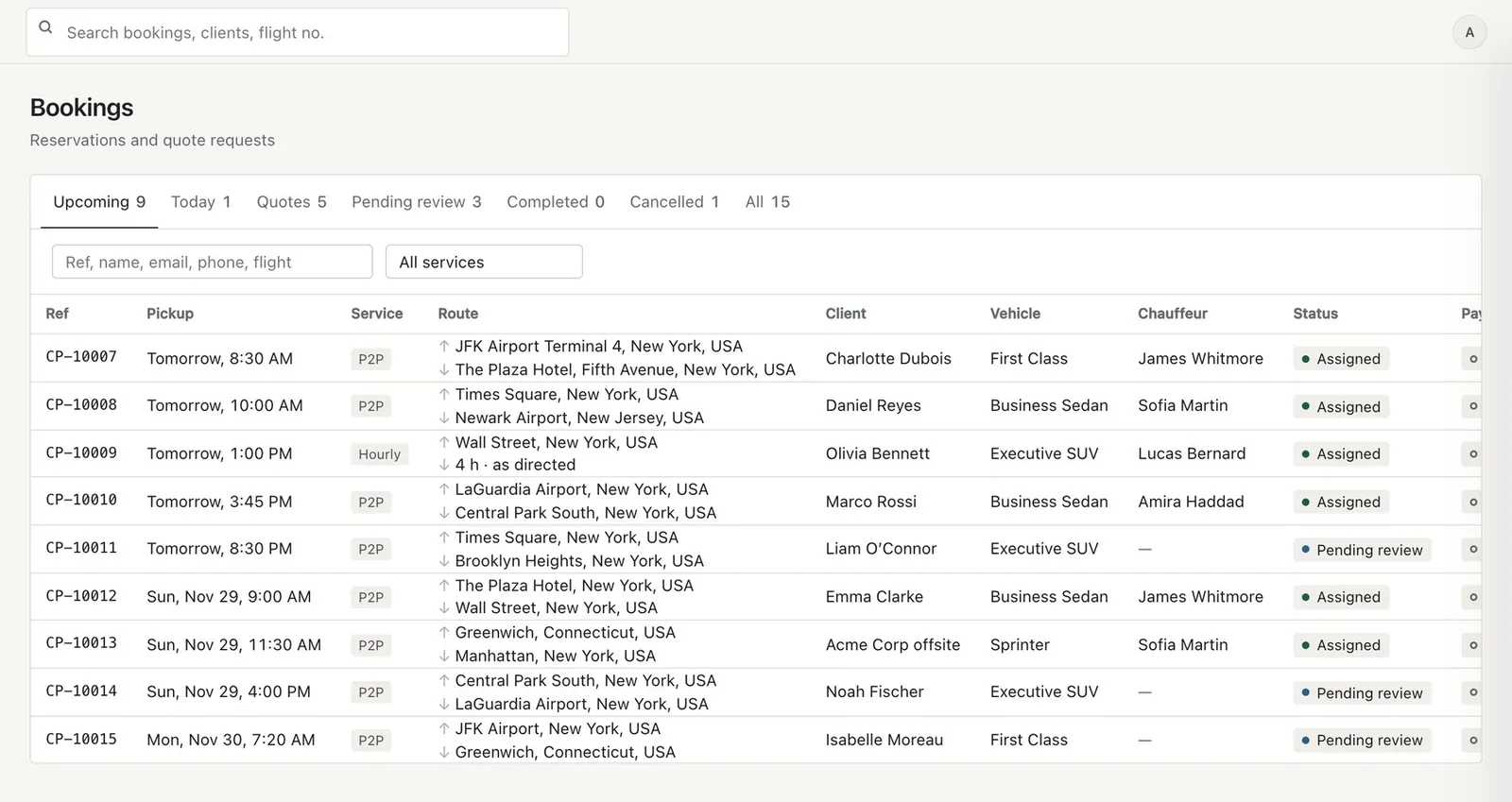
Whether new bookings are confirmed by themselves or wait for you is set under Booking rules → Confirmation.
Statuses
| Status | Meaning | What you do |
|---|---|---|
| Quote request | The client asked for a price | Price it in the drawer and send the quote |
| Pending review | New booking waiting for you | Confirm or decline |
| Confirmed | The trip is on | Assign a chauffeur and car |
| Completed | The trip is done | Check charges after the trip |
| Cancelled | Cancelled by client or you | Refunds run automatically inside the free window |
| No-show | The passenger didn't turn up | Kept for reports |
The booking drawer
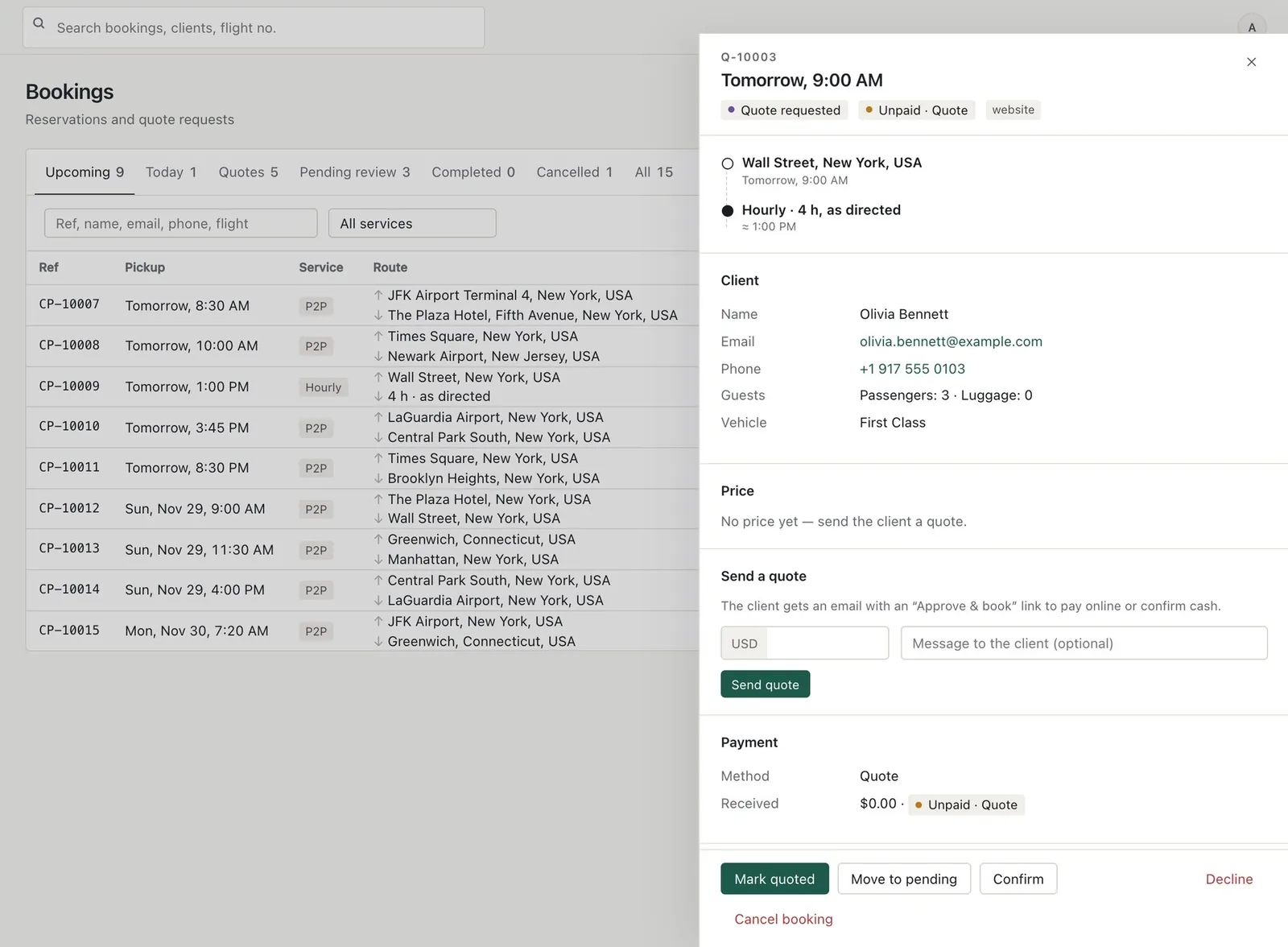
Click a booking to open its drawer: trip, price lines, payments, chauffeur and car, flight, client, notes and timeline.

Pricing a quote request
Enter your price and an optional message, then Send quote. The client gets an email with an Approve and book link to pay online or confirm cash.
Charges after the trip
When completing a job the chauffeur enters minutes waited, parking and tolls. Waiting beyond the free time (Settings → Booking rules → Waiting) is priced per minute. Approve the charges, then click Collect: the saved card is charged (Stripe), or the client is emailed a payment link.
Cancellations
Set the free-cancellation window under Settings → Booking rules. Inside it clients can cancel from their account and online payments are refunded automatically. Unpaid online bookings are released after one hour.
Frequently asked questions
How do I send a quote?
Open the quote request, enter your price and an optional message and click Send quote. The client gets an Approve and book link to pay online or confirm cash.
What happens to unpaid online bookings?
They are released after one hour if the payment is not completed.
Can I add waiting time after the trip?
Yes. The chauffeur enters it in the driver app, or you add charges in the booking drawer, then click Collect.